
Author: Daniel Crespo
Role: Analytics and Workforce Management Professional
Date: July 21, 2021
Introduction
If your work involves scheduling, maybe you have thought about Solver as an alternative. How did it go? Did you get good results?
Let me tell you about my experience with Solver and scheduling. If you are an expert on the topic and want to contribute to me and anyone else reading, we’ll be happy to get your feedback.
Solver Scheduler – Simplex LP
Let’s start by listing what you can do with this kind of model:
- You can generate schedules for any 5‑day service window.
- You can get the most cost‑effective schedules based on the shifts you input and their cost.
- You can get great schedules based on a specific budget.
- You can get great schedules based on a specific number of agents.
Steps to using the model
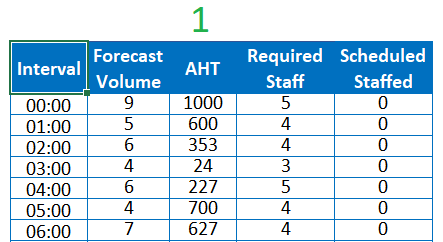
1. Enter Volume, AHT and Requirements
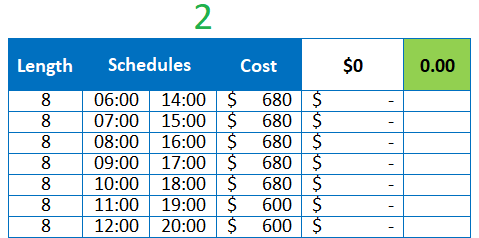
2. List the schedules you will give your agents and the cost
3. Define your objective
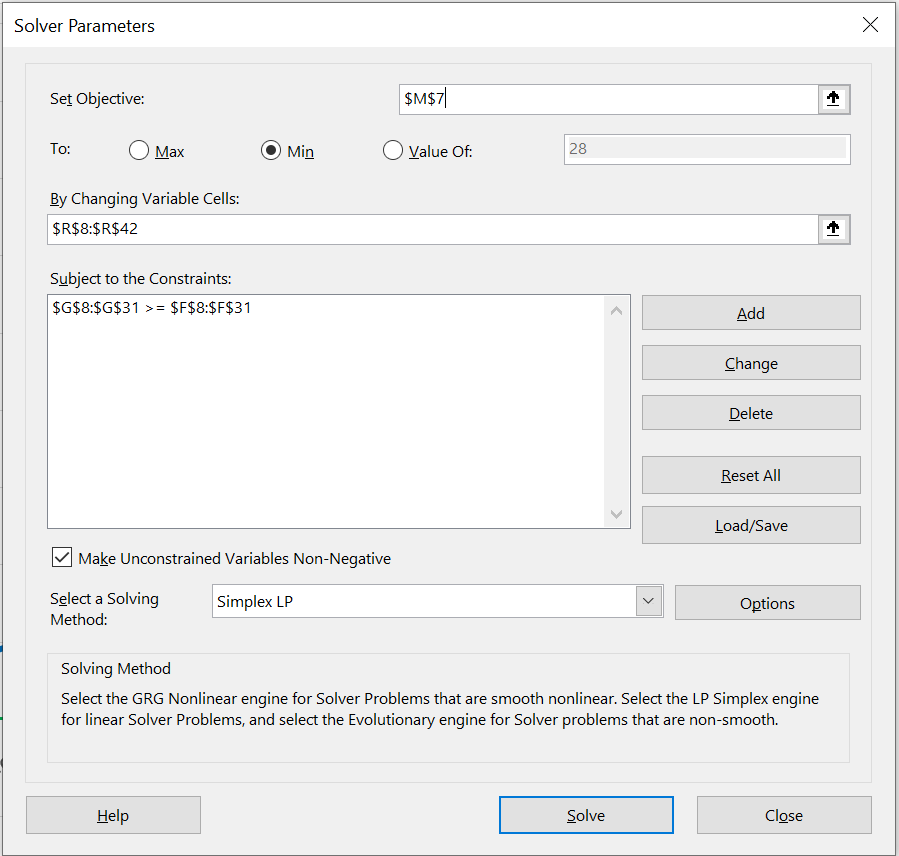
Decide whether you want the best schedules to meet your requirements, whether you need to stay within a budget, or whether you need to work with a fixed number of agents. Adjust the Solver objective accordingly.
This step looks scary at first because here’s where you actually use Solver, but if you take a closer look, it’s barely three inputs we are using.
4. Review the outcome
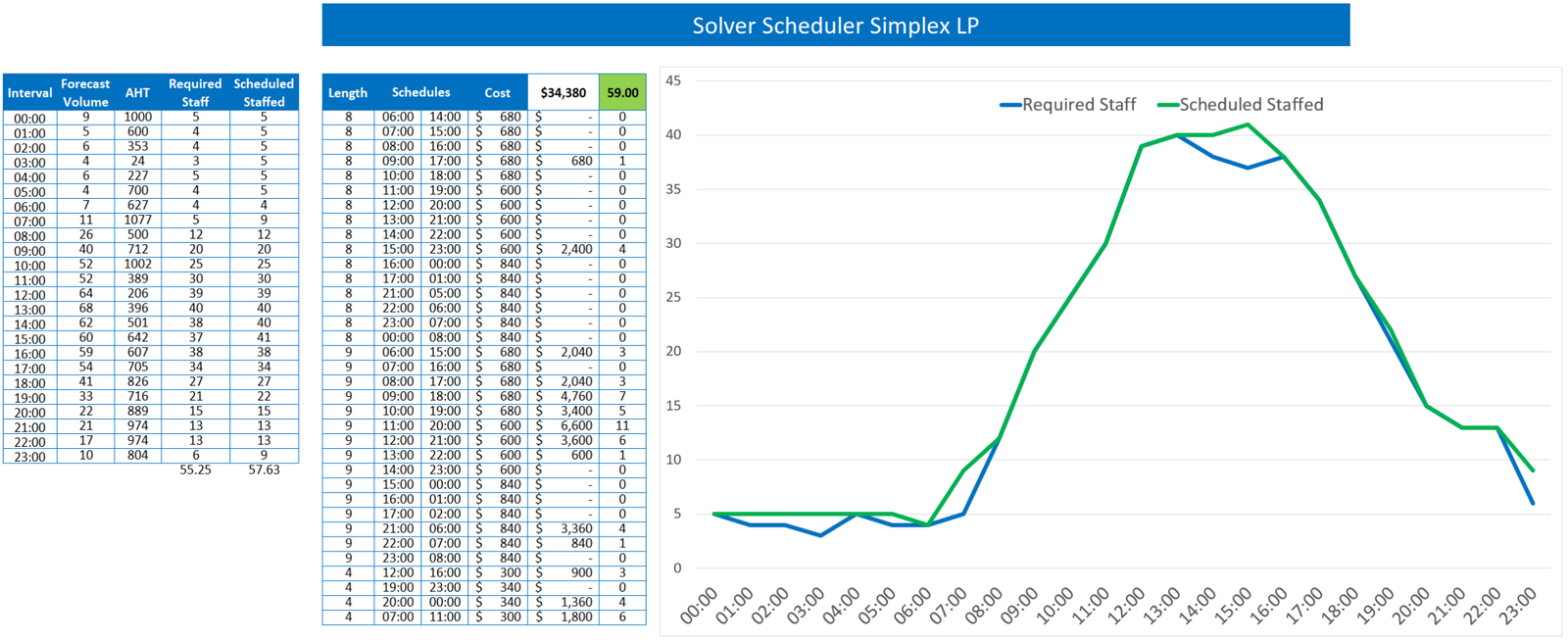
As you can see, the schedules are really close to the requirements.
Limitations
A couple of things I didn’t love about this kind of model:
- This model is limited to a specific number of constraints, which makes it hard to adapt to a 24/7 setup. I’ll write another article if I figure it out.
- From what I’ve researched so far, all 24/7 models heavily overstaff weekends, and I end up working manually to fix or create schedules myself — which is not the expectation from a scheduling model. More to come if I solve this.
Disclaimer
This article expresses my opinion on this topic and not that of any company. All data is invented, so don’t try to add up the requirements to the volumes and AHTs.