Author: Daniel Crespo
Role: Analytics and Workforce Management Professional
Date: August 19, 2020
Introduction
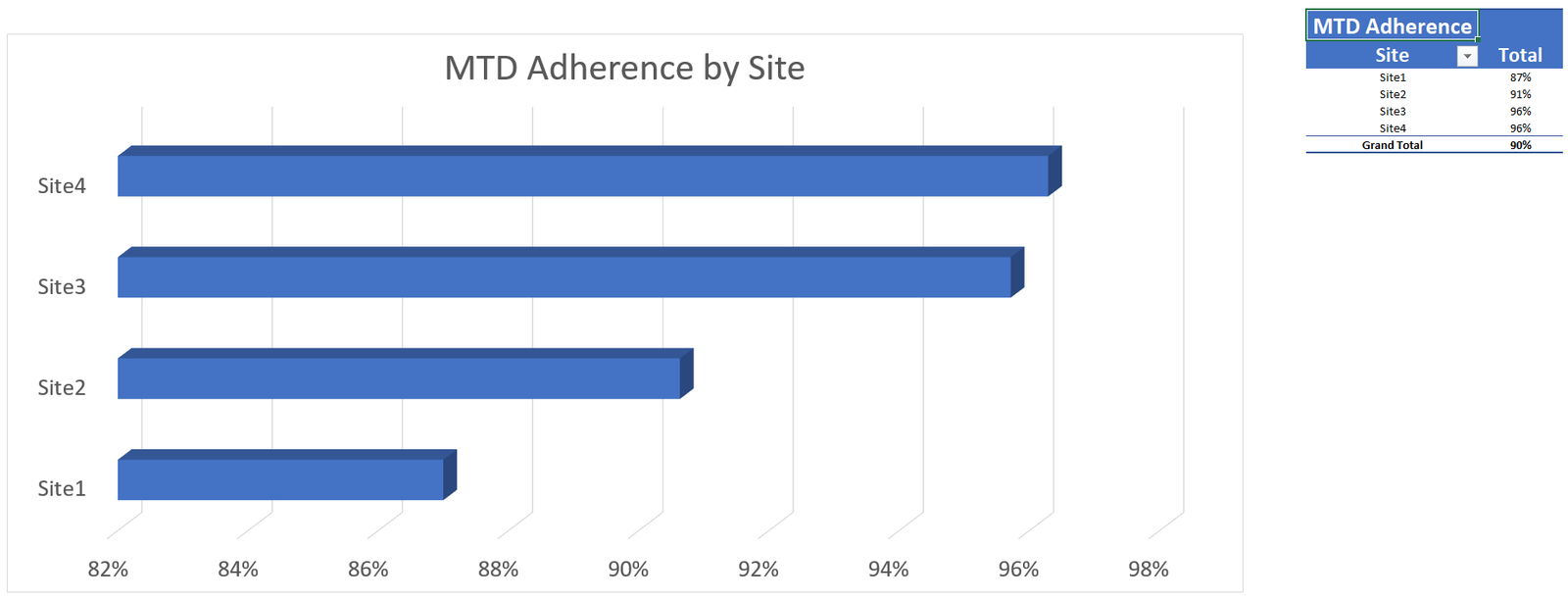
Schedule Adherence is one of the most important KPI´s for many organizations around the world and that is because it offers you 1 minute interval level analysis for every single agent of your organization all in 1 percentage per agent per day. By itself the percentage will not tell you what´s wrong but it will tell you who from your organization you need to work with. This said, I´ll start showing the report. 1-First tab has a MTD Adherence summary by Site which will simply tell you if your site is on goal or not.
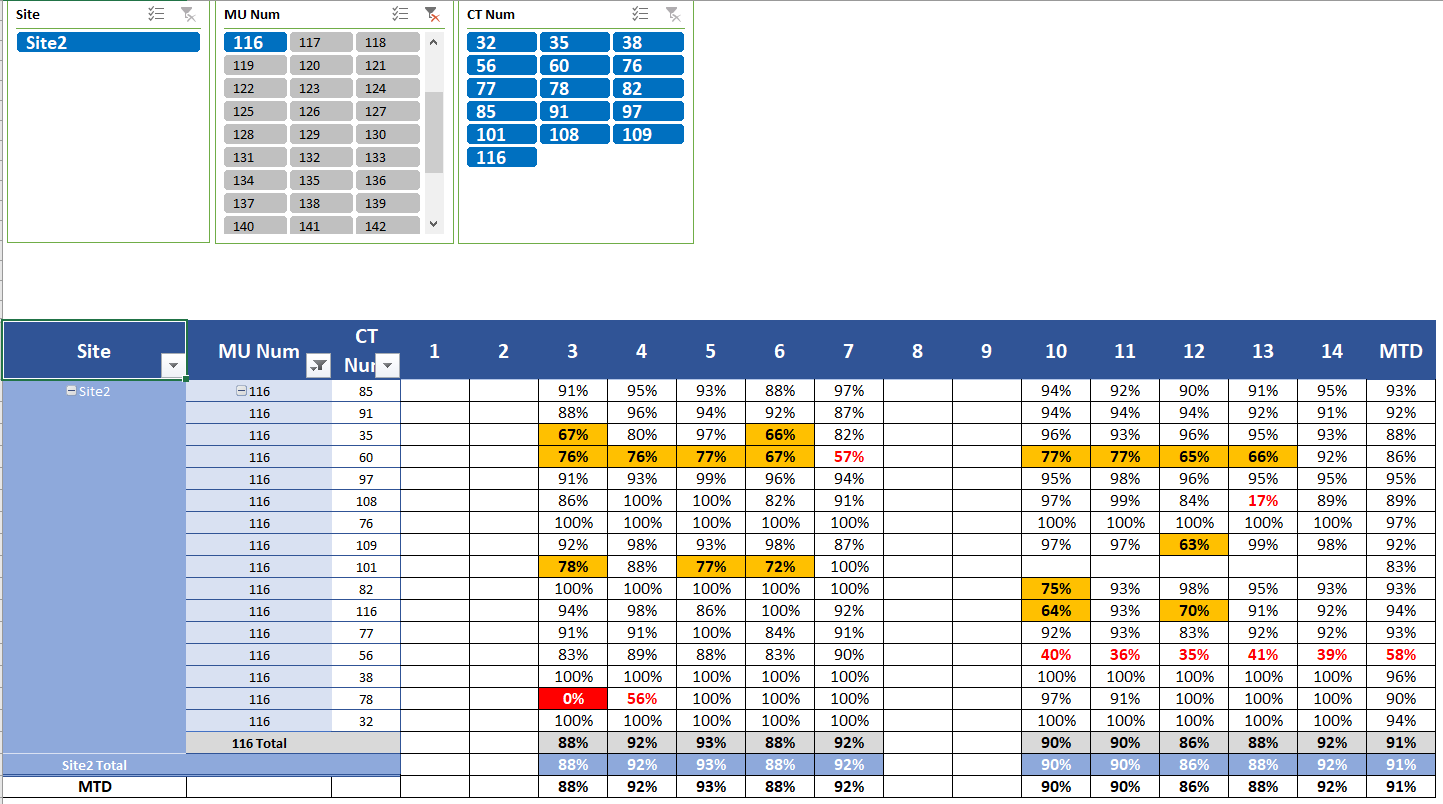
2- Second Tab has both MTD and Daily Adherence Percentage by Site, MU and CT. On this view I added some Slicers for the users convenience.
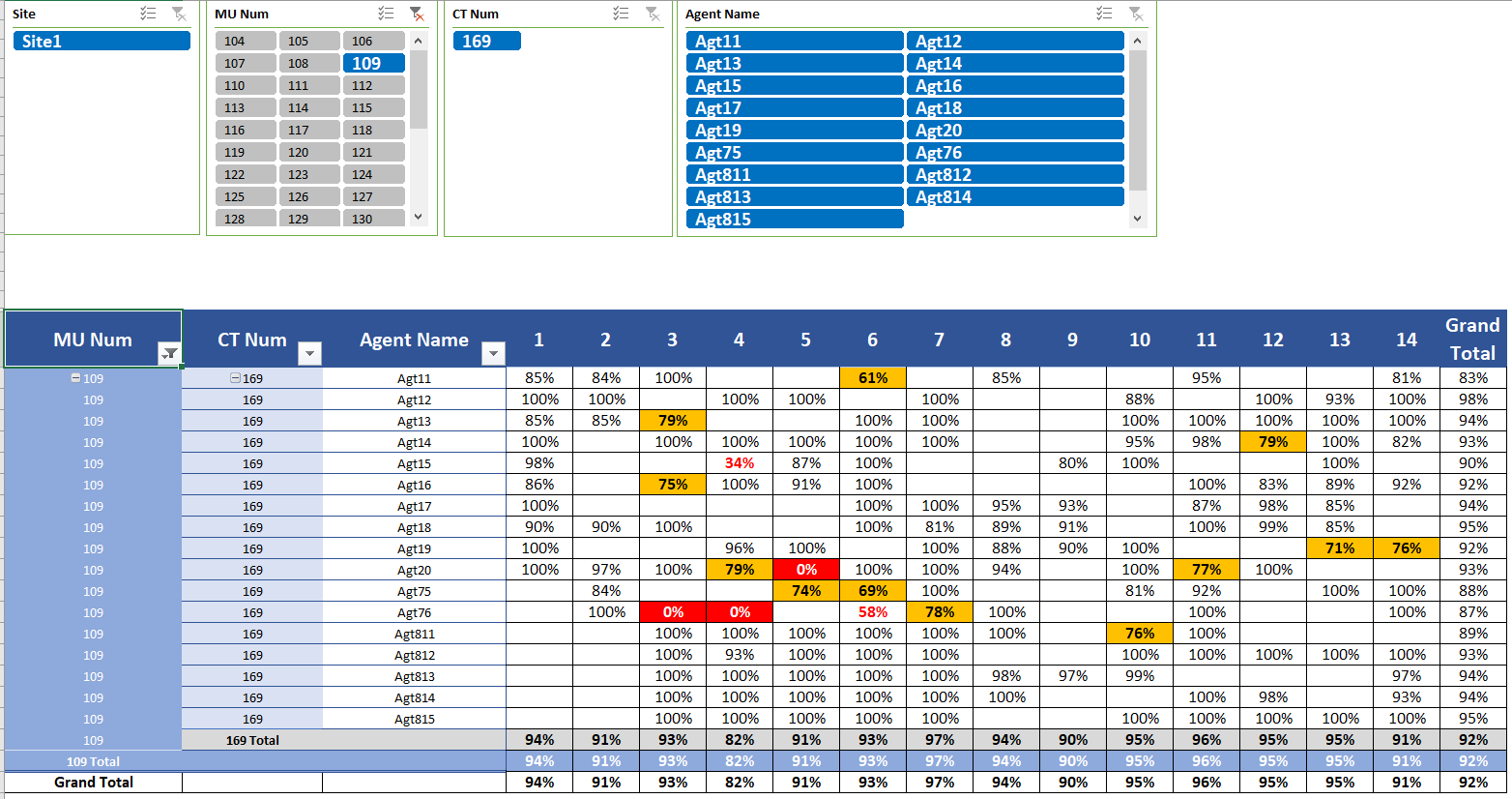
3- And third tab has also bot MTD and Daily Adherence Percentage by Site, MU, CT and of course Agent.
So, now you may be wondering a few things:
1- How long does it take to update? It takes between 2 to 15 minutes to update. This will vary based on your headcount and on how close to the end of the month you are. 2- If I made any code adjustments after last report was sent will those reflect already? Yes, the report will update the entire month every time you run it. 3- How did you add multiple sites? Don´t I require VBA knowledge and long time to consolidate the info every time I update the report? MS Power Query allows you to get data from multiple sources like txt´s on a folder. No VBA knowledge needed and no need to work the data each time. 4- But I don´t like Excel. How could I benefit from this? You could easily replicate this report using Power BI, since MS Power Query seems to be Power BI embedded in Excel. 5- Is this report too heavy to email? No, unless you have over 5000 agents, you can apply a very quick work-around and most likely you won´t have an issue emailing it. (Once data is downloaded, update pivot tables and then erase everything as of Row 3 on your source table. That will reduce the size of the file and still let you keep the updated data on the pivots.) 6- I´m not from WFM department, At the end I still depend on 1 person to update the report and send it to me, right? No, if you have Smartsync you can grant read permissions to anyone needing the reports and teach them just a few of steps to update the template themselves. To finish, I´ll just say the intent of this report is not to improve Schedule Adherence by itself. A template like this will simply tell people in your organization where to start looking to do what´s necessary to improve Schedule Adherence. Thank you! Please, share your thoughts. I´ll be happy to learn more about this topic from other enthusiasts with more experience. Disclaimer: The contents on this article express my opinion and not that of any company nor do I show data from any company.