Author: Daniel Crespo
Role: Analytics and Workforce Management Professional
Date: August 19, 2020
Introduction
If you are working, or have worked, as a WFM Real Timer with IEX—whether using TotalView or NICE IEX—you know that the Intraday Screen is the place to find the answers to most real-time management questions. This article shares a monitoring strategy I implemented while working with NICE IEX 6.4 that produced excellent results and was eventually adopted by other members of my team.
Using CT Sets Effectively
First, let´s mention some options you have when working directly with the Intraday Screen. There is this awesome feature called CT Sets that allow you have all CT´s listed in one dropdown list. You do have to select and look at the numbers on each individual CT, but Nice IEX allows you to open several Intraday screens at the same time using the same CT set too. So, If you monitor say ten LOB´s it´s likely that you will have three or maybe 4 main ones and the others are secondary while you still have to pay attention to them. So, you may have 5 Intraday screens open covering your four main LOB´s and a fifth Intraday screen to be switching the CT of your secondary LOB´s. (You may use CT sets or simply CT´s for this set-up).
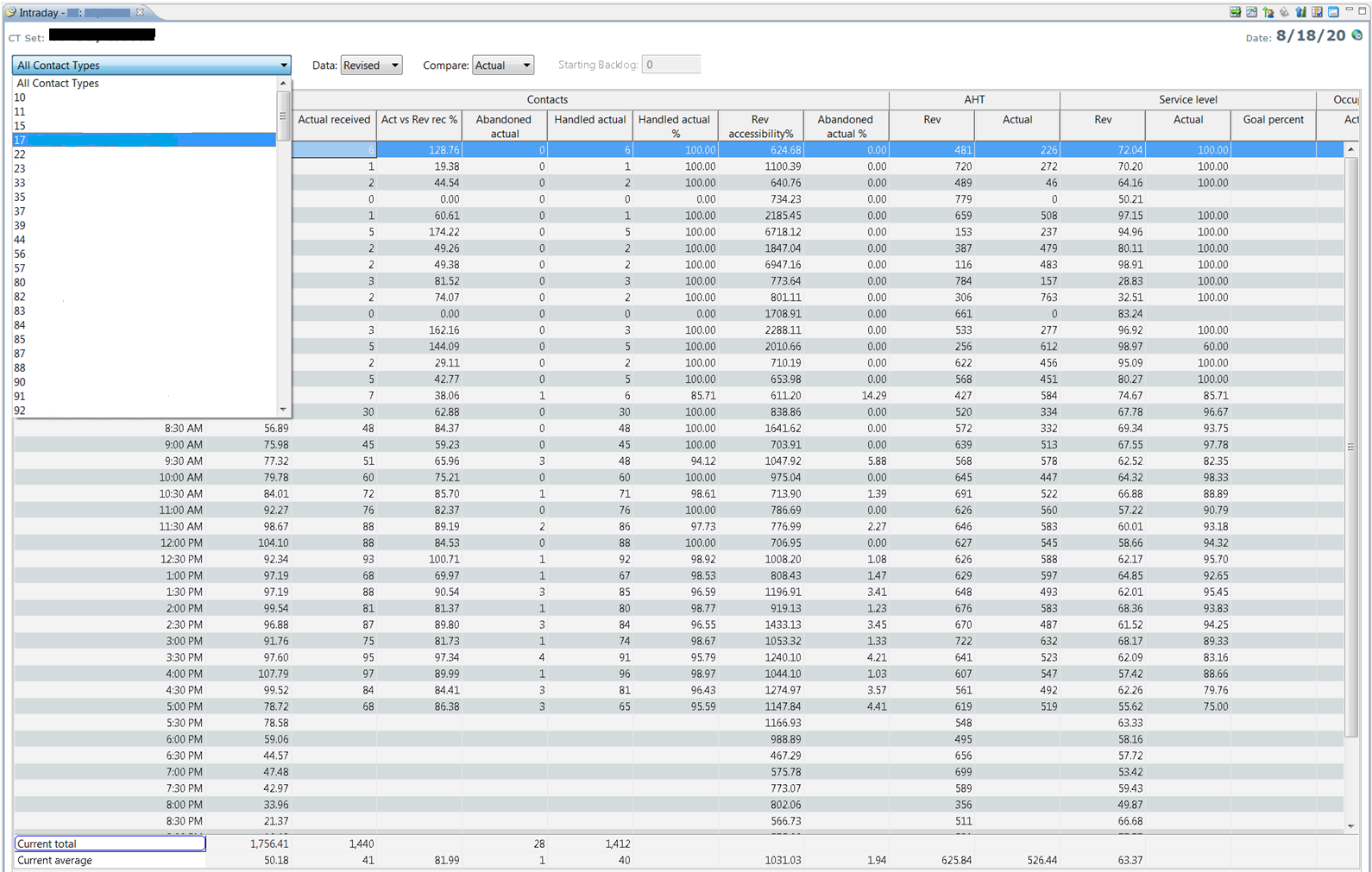
NICE IEX also allows multiple Intraday Screens to remain open simultaneously while using the same CT Set. For example, if you monitor ten LOBs, you may have four primary LOBs requiring continuous attention while the remaining six are secondary priorities.
Now lets go straight into the dashboard
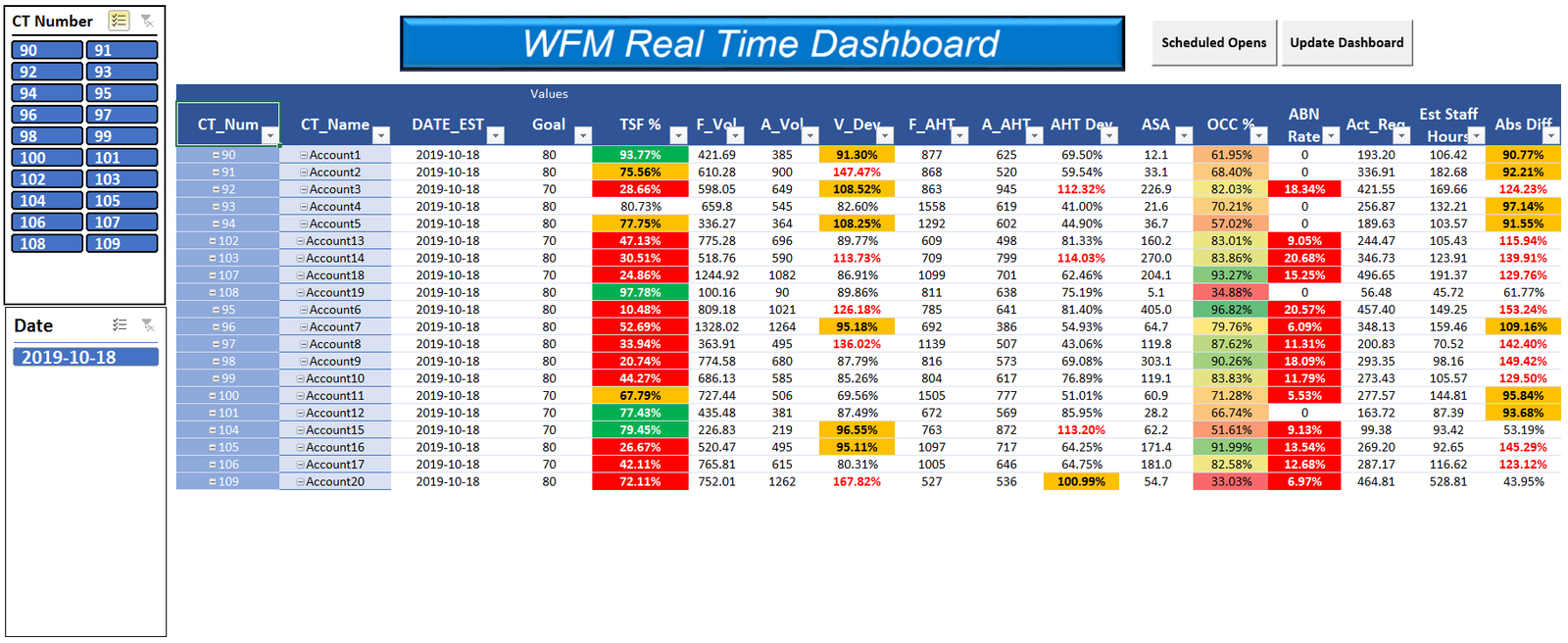
At first, you may think this is still quite challenging because of all that red in the TSF column (a.k.a. Service Level) Well, yes but in just few seconds you can quickly see that eight out of your twenty LOB´s do not need immediate action. So, you are ready to start taking decisions.
A second view then is critical once you know what LOB´s need your attention. Of course, I am talking about and interval level view.
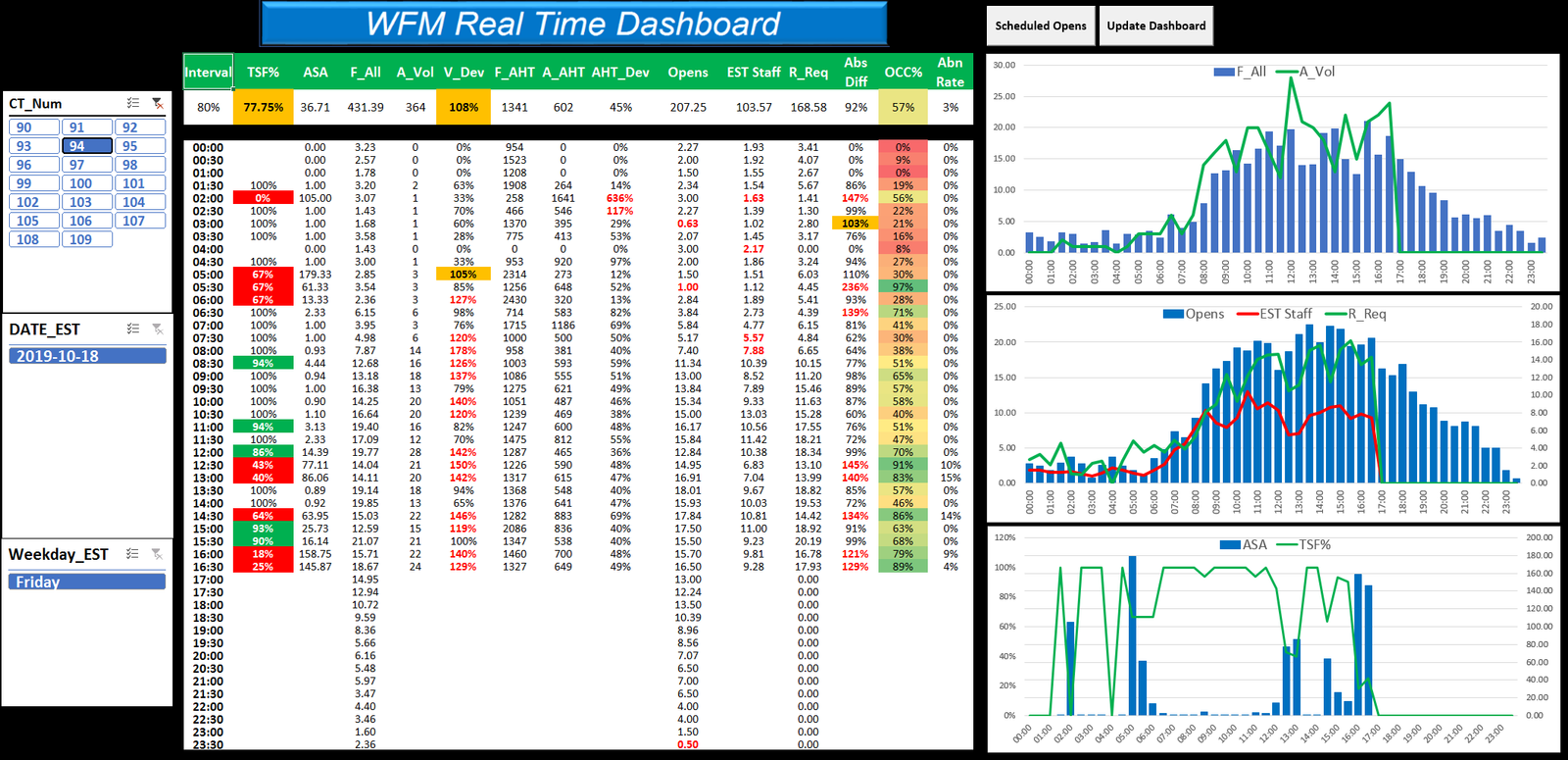
The real value comes from consolidating key operational metrics into 1 dashboard view.
In a matter of seconds, a Real-Time Analyst can prioritize focus and begin making informed staffing and operational decisions.
Interval-Level Visibility
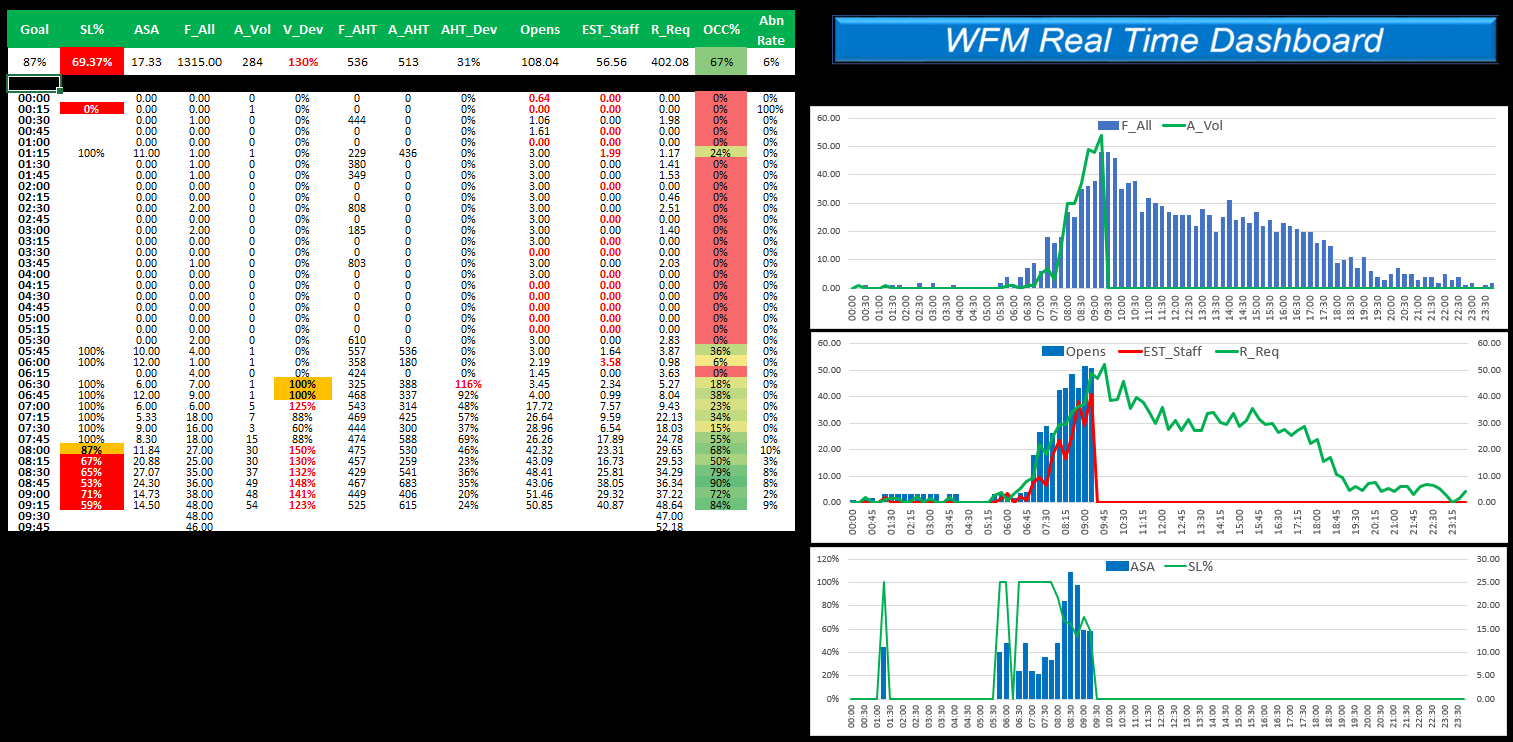
Technical Design
This dashboard was originally developed using SQL queries through Microsoft Query, retrieving information directly from the NICE WFM database through an ODBC connection.
However, direct database access is not strictly required. The same dashboard concept can be populated using the data already available within the Intraday Screen, making the approach accessible to many Workforce Management teams.
Key Takeaway
Effective real-time management is not about watching every metric every second. It is about organizing information so exceptions become visible immediately. A well-designed dashboard can drastically reduce monitoring effort while improving decision speed and operational performance.
If you have experience with NICE IEX, TotalView, or real-time workforce management dashboards, feel free to reach out. I am always happy to discuss reporting strategies and operational monitoring techniques.